
Skills are reusable instruction packs for the Prompt Agent. Activate one and the agent becomes a specialist that asks the right questions and writes your prompt in that style: a brand voice, a recurring content format, a niche, a preferred camera style.
Where to find them
- Tools → Skills opens the skills dialog.
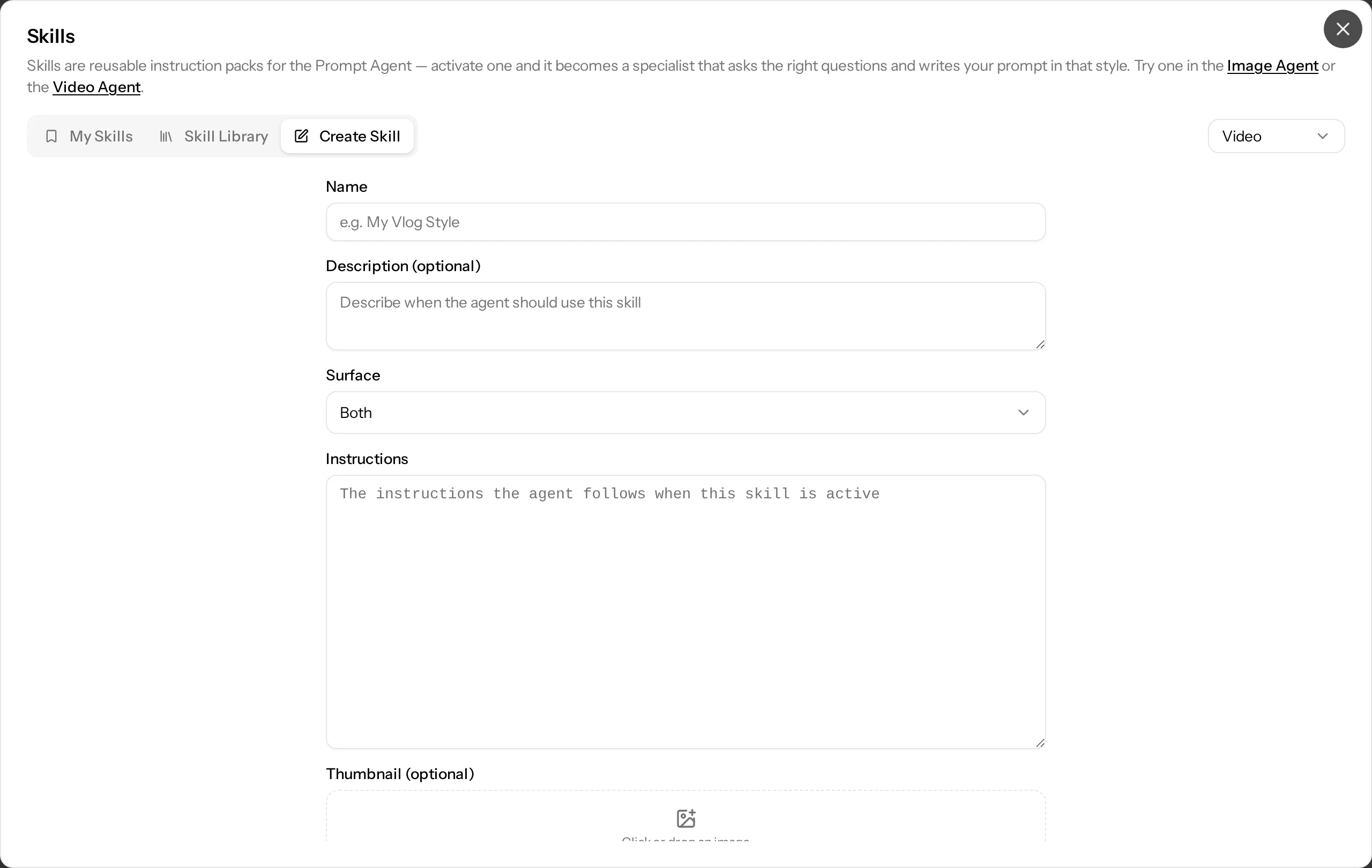
- Inside the Prompt Agent panel, the Skill chip under the message box opens the same dialog. The active skill is shown as a chip; remove it there to deactivate it.
Using a skill in the Prompt Agent
- Open the Prompt Agent in the Image or Video Studio.
- Click the Skill chip under the message box. The skills dialog opens on My Skills.
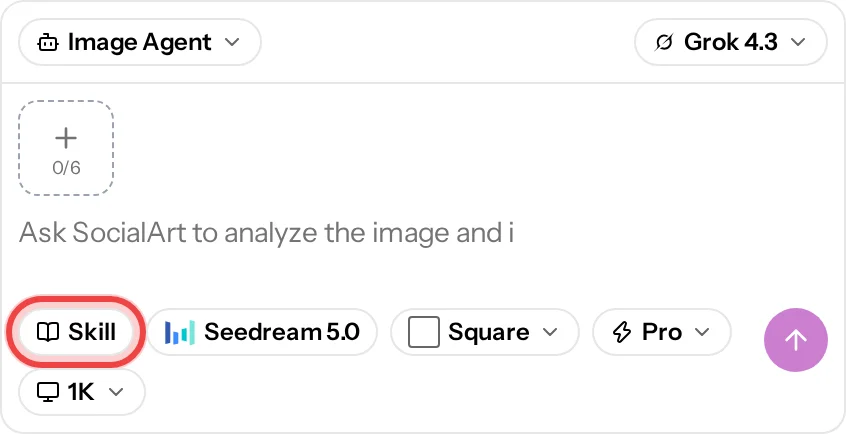
- Click Use Directly on the skill you want. The dialog closes and the skill appears as a chip above the message box.
- Describe your idea as usual. The agent follows the skill's instructions in every turn of this conversation until you remove the chip with its ×.
One skill is active at a time. Pick another one from the dialog to switch.
My Skills
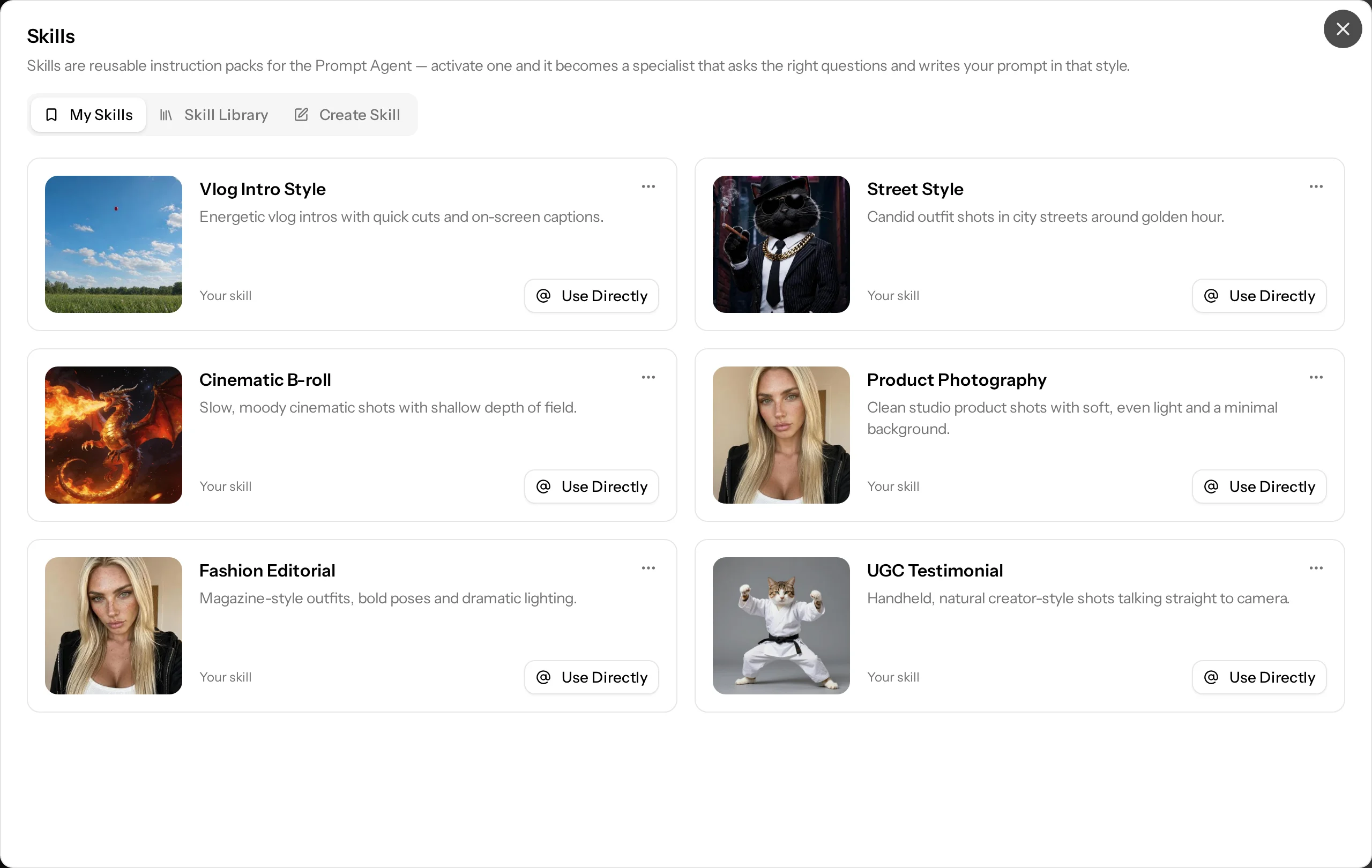
- The skills you created plus library skills you added, filtered by surface (image or video).
- Use Directly activates a skill for the current Prompt Agent conversation (see above).
- Edit or delete your own skills, or remove an added library skill, from the card menu.
Skill Library
- Ready-made skills published by SocialArt, for example genre guides for video scenes. Search them and sort by most used or newest.
- Use one directly in the current conversation, or add it to My Skills to keep it at hand.
Create Skill
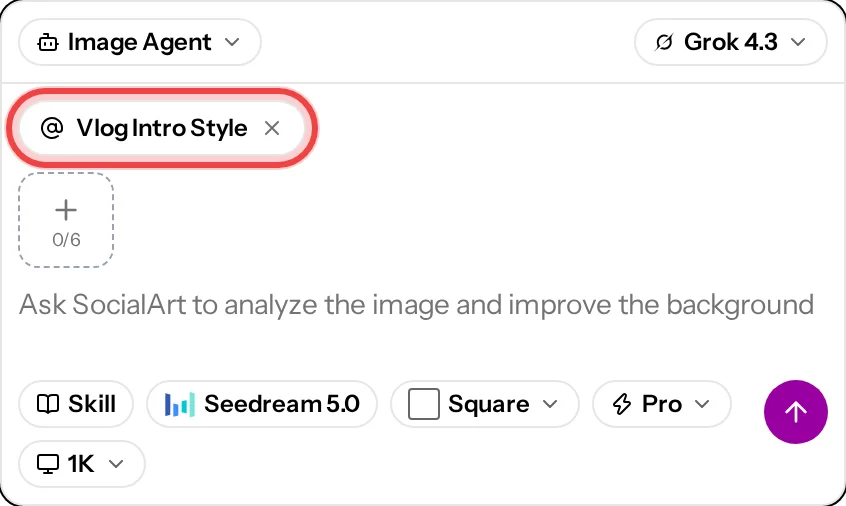
- Name, for example "My Vlog Style".
- Description (optional): when the agent should use this skill.
- Surface: image, video or both.
- Instructions: what the agent follows while the skill is active. Write them like a brief to a creative: tone, framing, lighting, do's and don'ts.
- Thumbnail (optional): an image for the skill card.
- Save to My Skills. The skill appears in the agent for the surface you chose.
Cost
Skills are free. Prompt Agent turns are metered as usual (see Prompt Agent).
Related
- The Prompt Agent: Prompt Agent
- All tools: Tools