
How it works
- Choose a model from the picker. Recommended models are marked; models that allow NSFW content carry an NSFW badge.
- Write a prompt, or let the Prompt Agent write one (Prompt Agent). Prompts can be up to 16,000 characters; some models accept less (Kling up to 2,500, Grok Imagine up to 8,000) and the form tells you before you generate.
- Optionally add reference images: uploads, images from your history, or a saved character. The maximum number of references depends on the model. Uploads start right away; while they run, the Generate button waits and shows Uploading N files....
- Set aspect ratio or size, resolution (1K, 2K or 4K where supported), quality tier and, where the model supports it, the number of images (up to 4 per request; Kling Image O1 up to 2).
- Check the credit cost on the Generate button and generate.
A progress tile appears at the top of your history with the current step (Queue, Generate, Finish) and the elapsed time, and turns into the result when it is done. If a generation fails, the tile shows Failed with the reason, and the credits are refunded automatically (Influencer Remix may keep a small part).
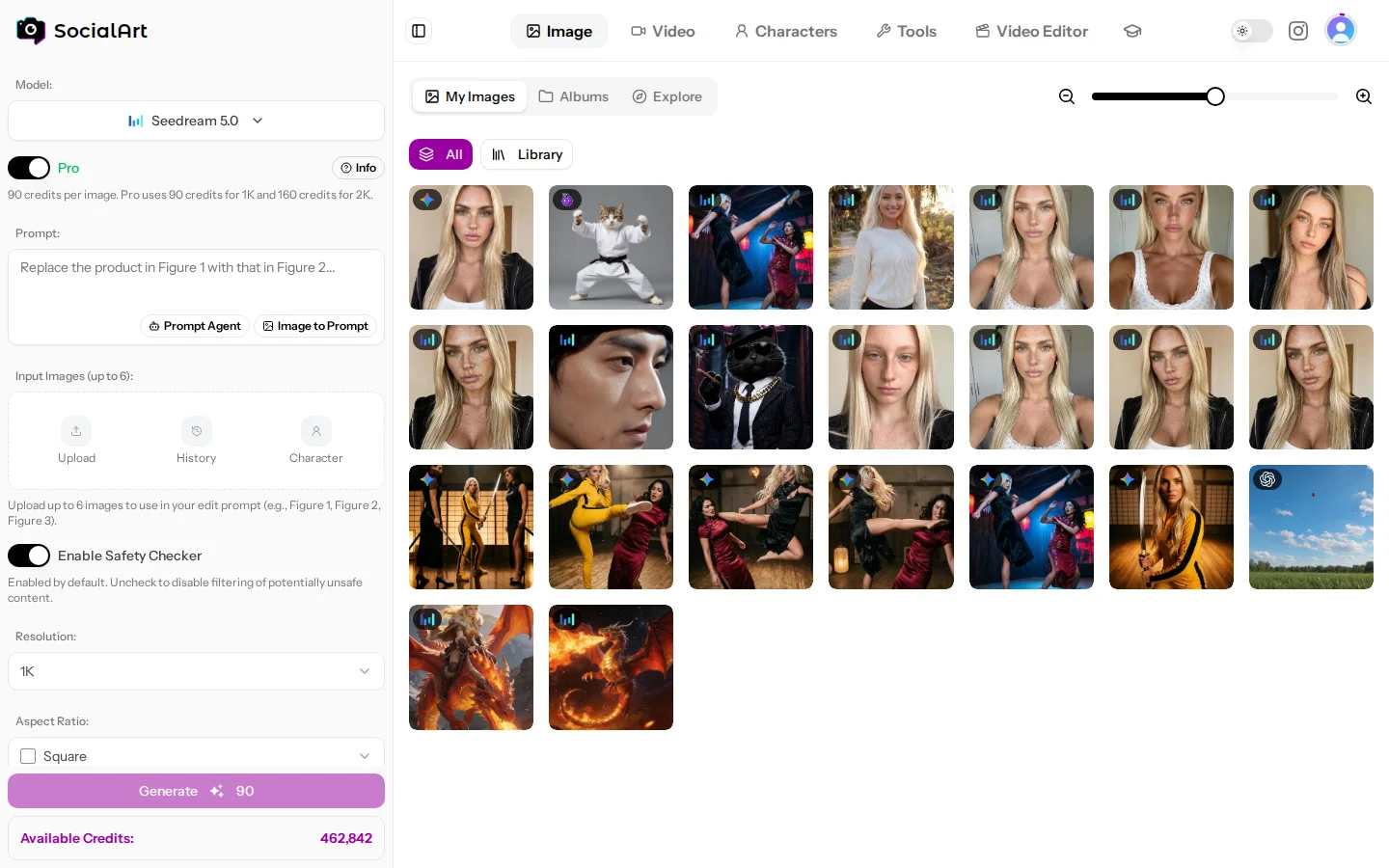
Modes
- Text-to-image. Generate from a prompt alone.
- Image editing / image-to-image. Add one or more reference images and describe the change: replace objects, change backgrounds or outfits, restyle, combine several references into one scene. Most models switch to edit mode automatically when references are present.
- Character references. Pick a saved character and the model receives its reference photos, keeping the same person consistent across generations.
- Model-specific options. Negative prompts, seeds, Web Search and Google Search (Nano Banana 2), thinking level and Web Search (Nano Banana 2.1), face-control elements (Kling), quality tiers (Seedream, Wan, GPT Image).
Image to Prompt
Reverse-engineer any image into a reusable prompt. Upload an image or pick one from your history, choose plain text or structured JSON, and fast or pro:
- Fast (text or JSON): quick analysis at a low cost.
- Pro (text or JSON): more detailed analysis at a higher cost.
The result is inserted into the prompt field and can be edited before generating.
History, albums and sharing
- History keeps every result. Open any image to see its prompt and settings.
- Filter by model. Once your history holds more than one model, a filter above it shows the images of one model only, or the photos you bought in the marketplace.
- Grid layout. Switch the history between Square grid and Original aspect ratio; on desktop a slider sets the tile size.
- Pin images in the history picker (when you add references from your history) so they sort first there.
- Albums group images per project or client; add an image to an album from its detail view.
- Private. Your generations are private.
- Download originals, or reuse an image as a reference for the next generation.
- Delete images you no longer need to free up storage.
Image models
Every model with its modes, reference support, resolutions and aspect ratios. The studio shows the credit cost of a generation before you start it. "NSFW" marks models that allow NSFW content for adult creators.
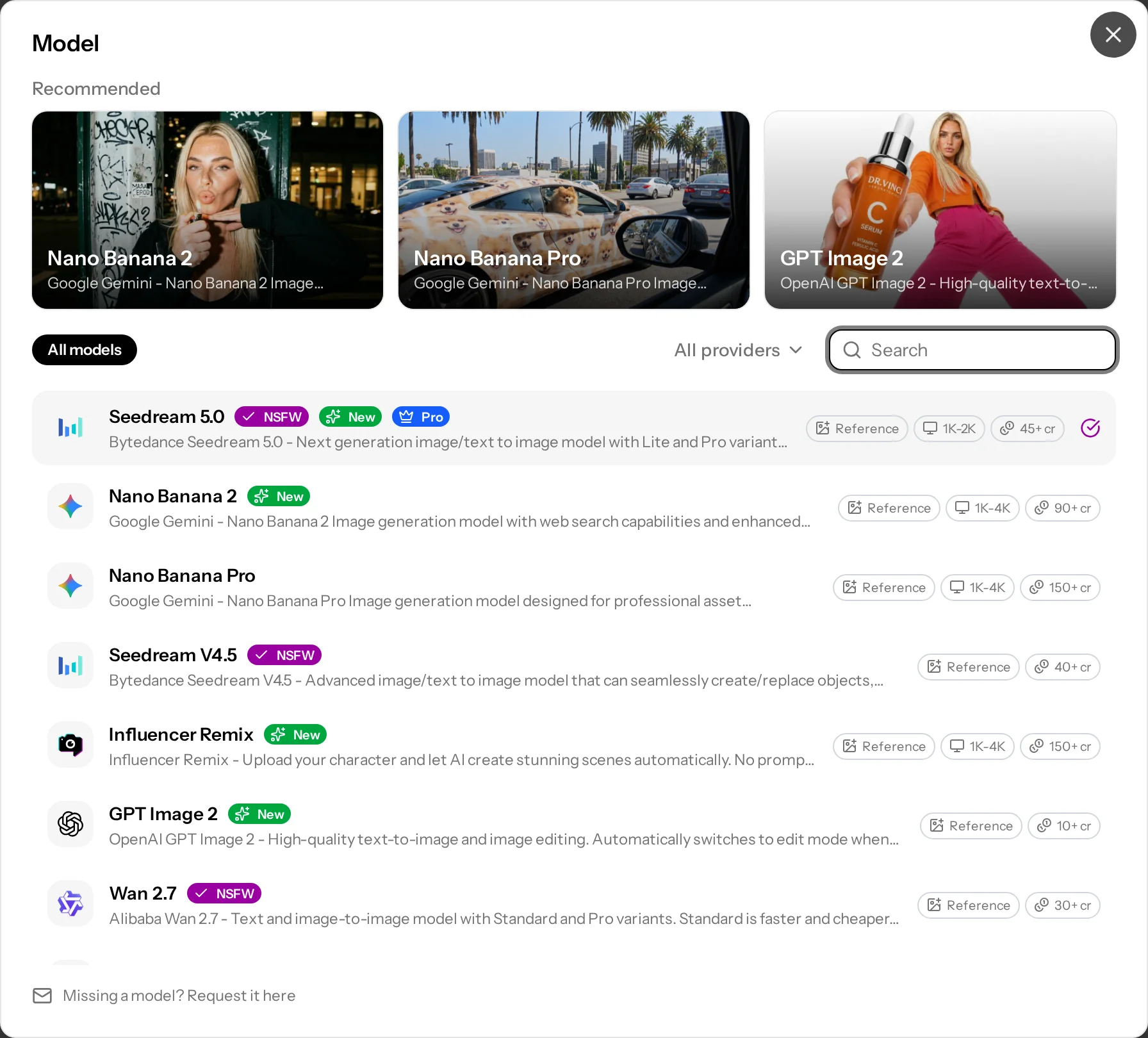
| Model | Vendor | Modes and references | Resolution | Aspect ratios | Options |
|---|---|---|---|---|---|
| Seedream 5.0 | ByteDance | Text-to-image and editing; up to 6 reference images or a character | 1K, 2K (Pro) | Square HD, 1:1, 3:4, 9:16, 4:3, 16:9 | Lite or Pro quality. NSFW. |
| Nano Banana 2.1 | Text-to-image and editing; up to 14 reference images or a character | 1K, 2K, 4K | auto, 21:9, 16:9, 3:2, 4:3, 5:4, 1:1, 4:5, 3:4, 2:3, 9:16, 4:1, 1:4, 8:1, 1:8 | Thinking level (minimal, medium or high), Web Search. Recommended. | |
| Nano Banana 2 | Text-to-image and editing; up to 6 reference images or a character | 1K, 2K, 4K | auto, 21:9, 16:9, 3:2, 4:3, 5:4, 1:1, 4:5, 3:4, 2:3, 9:16 | Web Search and Google Search. | |
| Nano Banana Pro | Text-to-image and editing; up to 6 reference images or a character | 1K, 2K, 4K | auto, 21:9, 16:9, 3:2, 4:3, 5:4, 1:1, 4:5, 3:4, 2:3, 9:16 | Strong text rendering. Recommended. | |
| Seedream V4.5 | ByteDance | Text-to-image and editing; up to 6 reference images or a character | up to 4K (auto 2K or 4K) | 1:1, 3:4, 9:16, 4:3, 16:9 | Seed. NSFW. |
| Influencer Remix | SocialArt | A saved character or up to 6 reference photos; no prompt needed (optional) | 1K, 2K, 4K | auto, 21:9, 16:9, 3:2, 4:3, 5:4, 1:1, 4:5, 3:4, 2:3, 9:16 | Finished influencer-style scenes. |
| GPT Image 2.5 | OpenAI | Text-to-image and editing; up to 6 reference images or a character. Toggle between Flare (fast) and Sunburst (highest quality) | up to 4K (3840×2160) | 9:16, 3:4, 1:1, 4:3, 16:9; 9:16 and 16:9 also in 2K and 4K | Low, medium, high, xhigh or max quality; PNG, JPEG or WebP. Recommended. |
| GPT Image 2 | OpenAI | Text-to-image and editing; up to 6 reference images or a character | up to 2048×2048 | 9:16, 3:4, 1:1, 4:3, 16:9 | Low, medium or high quality; PNG, JPEG or WebP. |
| Wan 2.7 | Alibaba | Text-to-image and editing; up to 6 reference images or a character | 1K | 1:1, 3:4, 9:16, 4:3, 16:9 | Standard or Pro quality. NSFW. |
| Nano Banana | Text-to-image and editing; up to 6 reference images or a character | 1K | auto, 21:9, 16:9, 3:2, 4:3, 5:4, 1:1, 4:5, 3:4, 2:3, 9:16 | Fast everyday generation. | |
| Qwen Image 2 | Qwen | Text-to-image and editing; up to 3 reference images or a character | 1K | 1:1, 3:4, 9:16, 4:3, 16:9 | Pro tier; negative prompt, seed. NSFW. |
| Kling Image V3 | Kling | Text-to-image, image-to-image (1 reference); up to 2 face-control elements | 1K, 2K | 16:9, 9:16, 1:1, 4:3, 3:4, 3:2, 2:3, 21:9 | Negative prompt. |
| Grok Imagine | xAI | Text-to-image and editing (1 reference) or a character | 1K | 2:1, 20:9, 19.5:9, 16:9, 4:3, 3:2, 1:1, 2:3, 3:4, 9:16, 9:19.5, 9:20, 1:2 | Ultra-wide and tall formats. |
| Kling Image O1 | Kling | Up to 6 references addressed as @Image1, @Image2; up to 2 elements as @Element1, @Element2 | 1K, 2K | auto, 16:9, 9:16, 1:1, 4:3, 3:4, 3:2, 2:3, 21:9 | Up to 2 images per request. |
| Z-Image Turbo | Tongyi-MAI | Text-to-image only | Standard (about 1 MP) or Max (up to 1440 px) | 10 ratios | Steps, seed and output quality; JPG, WebP or PNG. NSFW. |
| GPT Image 1.5 | OpenAI | Text-to-image and image-to-image; up to 4 reference images or a character | 1K | 1:1, 2:3, 3:2 | Auto, low, medium or high quality; WebP, PNG or JPEG. |
Which image model should I use?
- Speed and value: Nano Banana 2.1, Nano Banana 2, Grok Imagine, Z-Image Turbo.
- Top quality and text rendering: Nano Banana Pro, Seedream 5.0 Pro.
- Precise edits and instruction following: GPT Image 2.5 (Sunburst), Nano Banana 2.1, Kling Image O1.
- Consistent people: Kling Image V3 elements, or any model with a saved character.
- Influencer content without prompting: Influencer Remix.