
Video Recast: Put Your Characters in Any Video
You found the perfect clip: the walk, the wave, the dance, the camera move. The only thing wrong with it is who is in it. Video Recast keeps the video and swaps the people for your own characters, from one photo per person.
Same video, your characters: the moves, the camera and the scene stay, the cast changes.
Where to find it: log in to SocialArt.ai, open Tools and pick Video Recast. Hailuo 3 Recast is also available as a model in the Video Studio.
Until now, getting a specific person into a specific video meant one of two things: film it again with that person, or prompt a video model from scratch and hope the motion comes out the way you pictured it. Neither is fast, and the second rarely lands the exact gesture you wanted.
Video Recast starts from the footage instead. You give it a video and a photo of each person who should be in it, and it hands back the same shot with your cast in it. Use it on your own recordings, on a clip from your SocialArt history, or on anything you have the rights to recast.
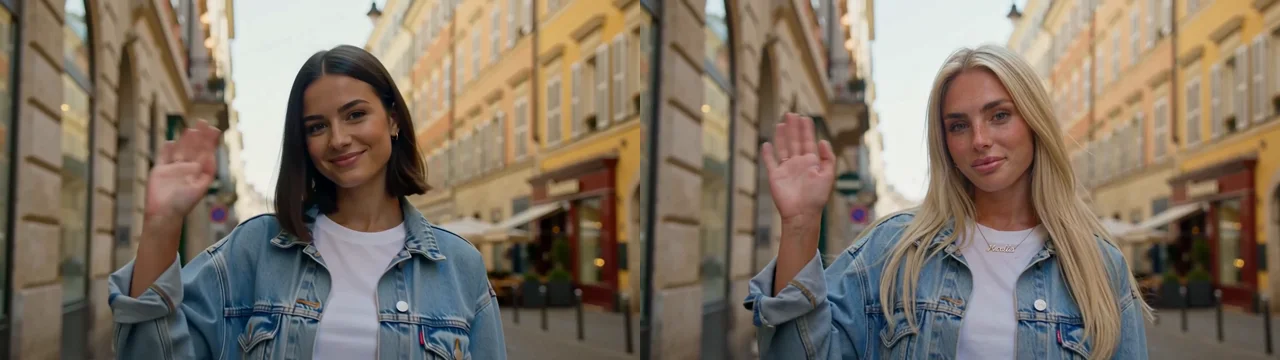
Original on the left, recast on the right. One source clip, one reference photo.
How to Recast a Video
Pick a model and add the source video
Choose between Hailuo 3 Recast, Seedance 2.5 and Wan 3.0 Prime, then upload a clip or pick one from your video history. The page shows the length and file-size limits of the model you chose.
Add your characters
One clear photo per person, up to four: upload, pick from your image history or choose a saved character. By default the photos replace the main people from left to right; a short prompt such as "The man on the left becomes photo 1, keep his jacket" gives you control over who becomes whom.
Hit Recast
Pick the resolution, check the cost on the button and go. The result appears on the page and lands in your video history, ready to download, cut in the Video Editor or post with Social Post.
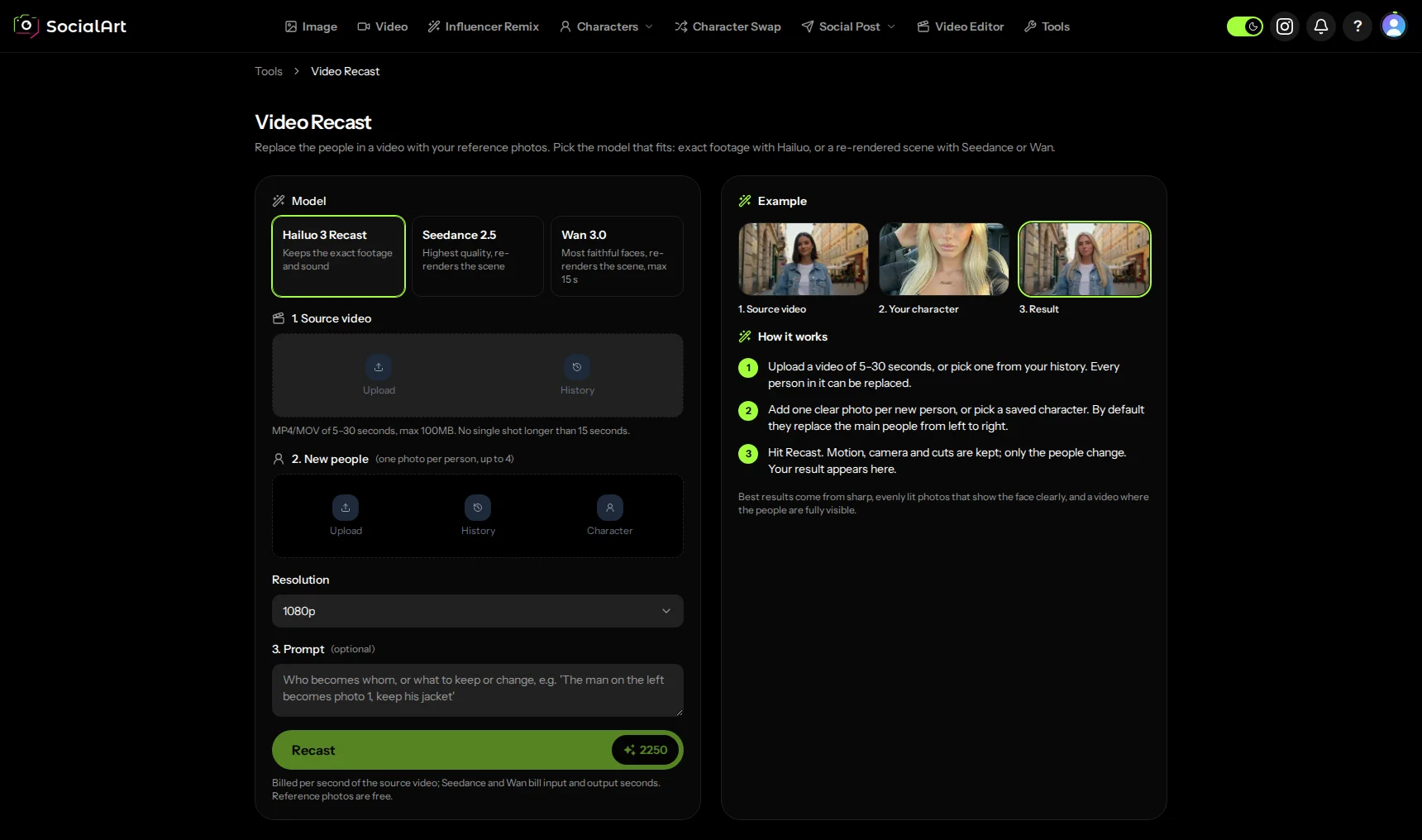
Model, source video, characters, resolution. The example on the right shows what to expect.
Three Models, Three Trade-offs
The three models approach the job differently, so the choice is part of the craft. Try the same clip on two of them and keep the one that fits.
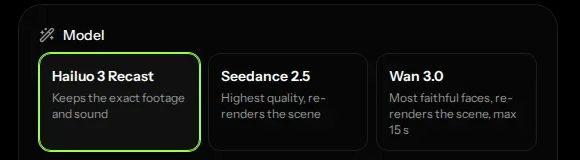
1 Hailuo 3 Recast: the exact footage and sound
Hailuo edits the video you give it. Every frame, cut and camera move is the original, the sound is untouched, and only the people change. It is the pick when the footage itself is the point: a product video, a dance you want frame-accurate, a clip whose audio has to stay. It takes videos of 5 to 30 seconds and works best when no single shot is longer than 15 seconds.
2 Seedance 2.5: the highest quality
Seedance re-renders the scene from your video: the motion, camera and cuts are followed, but every pixel is generated again, with new sound. That gives the most polished image of the three, with a result that can differ in small details from the original. Videos of 4 to 30 seconds, in 480p or 720p.
3 Wan 3.0 Prime: the most faithful faces
Wan also re-renders the scene, and in our tests it stays closest to the faces in your photos. If recognisability is what matters, start here. It takes shorter clips, 2 to 15 seconds, and goes up to 1080p.
Good to Know
Several people in one video
Up to four reference photos, one per person. Without a prompt the photos replace the main people from left to right. With one, you name the mapping and what to keep: the jacket, the hat, the glasses.
Saved characters and your history
The characters you saved in SocialArt are one click away in the photo picker for Hailuo and Wan, and both the source video and the photos can come straight from your history, so a clip you generated this morning can be recast this afternoon.
Bypass audio restrictions for Seedance
Seedance sometimes refuses a video because of its sound. Switch the bypass on and the sound is removed before Seedance sees the video; afterwards the original sound is put back under the result for you. Leave it off unless a generation failed for that reason.
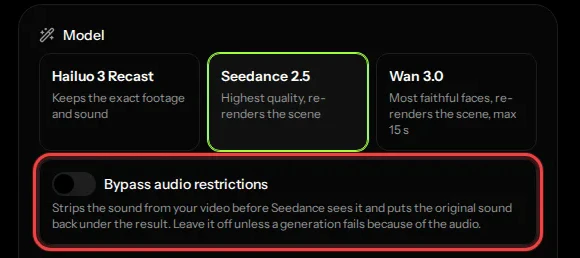
The cost is on the button
A recast is billed per second of the source video, at a rate that depends on the model and the resolution. The Recast button shows the exact amount before you start; the reference photos are free. A failed generation is refunded automatically.
What to Make with It
Your character in a trend
Record the move once, or pick a clip you made, and recast it with the character your audience knows.
One shoot, many faces
Film a product demo with one presenter and recast it per market, per persona or per campaign.
No stunt double
Let the skater skate and the dancer dance; put your character in afterwards.
Costumes and looks
Keep the outfit, the stage and the choreography of a clip and give it your face.
Consistent influencer content
Combine it with Influencer Remix for stills and Video Recast for motion, and your character shows up the same everywhere.
Straight to the feed
The result lands in your history, where the Video Editor and Social Post pick it up.
Frequently Asked Questions
What is Video Recast?
A tool in SocialArt.ai that replaces the people in a video with the people from your reference photos. The motion, camera and scene stay; only the cast changes. You find it under Tools.
Which models can I choose?
Hailuo 3 Recast keeps the exact footage and sound and only swaps the people. Seedance 2.5 and Wan 3.0 Prime re-render the scene from your video: Seedance gives the highest overall quality, Wan keeps the faces closest to your photos.
How long can the video be?
That depends on the model: 5 to 30 seconds for Hailuo, 4 to 30 seconds for Seedance and 2 to 15 seconds for Wan. The page shows the limits and the file size of the model you pick.
Can I recast more than one person?
Yes. Add up to four photos, one per person. By default they replace the main people from left to right; with a short prompt you decide who becomes whom.
Does the original sound stay?
With Hailuo 3 Recast, yes: the footage and sound are untouched. Seedance and Wan re-render the scene and generate their own sound for it.
What is the audio bypass for Seedance?
Seedance sometimes refuses a video because of its sound. With the bypass on, the sound is removed before Seedance sees the video and the original sound is put back under the result for you. Leave it off unless a generation failed for that reason.
What does a recast cost?
Credits, billed on the length of your source video and the resolution you choose. The Recast button shows the exact amount before you start; reference photos are free.
Same moves. Same scene. Your characters.
Open Video Recast, drop in a clip and a photo, and see your character in it a few minutes later.
Share this article
Related Articles
Influencer Remix: AI-Powered Influencer Content Generation
The same character in stills: upload a photo and let AI create influencer-style scenes, no prompt needed.
Video Editor: Cut, Caption and Export AI Videos in Your Browser
Take your recast into the editor: add a title, a music bed and export in 9:16 for Reels.