
How to Bypass Seedance 2.0's Reference Image Restrictions with Seedream
Seedance 2.0 produces outstanding video, but its strict celebrity and IP detection often blocks reference images — even AI-generated ones — when a face resembles a real person. The fix is a simple two-step workflow: first generate a detailed, unmistakably fictional face in Seedream 5.0, then use that image as your reference.
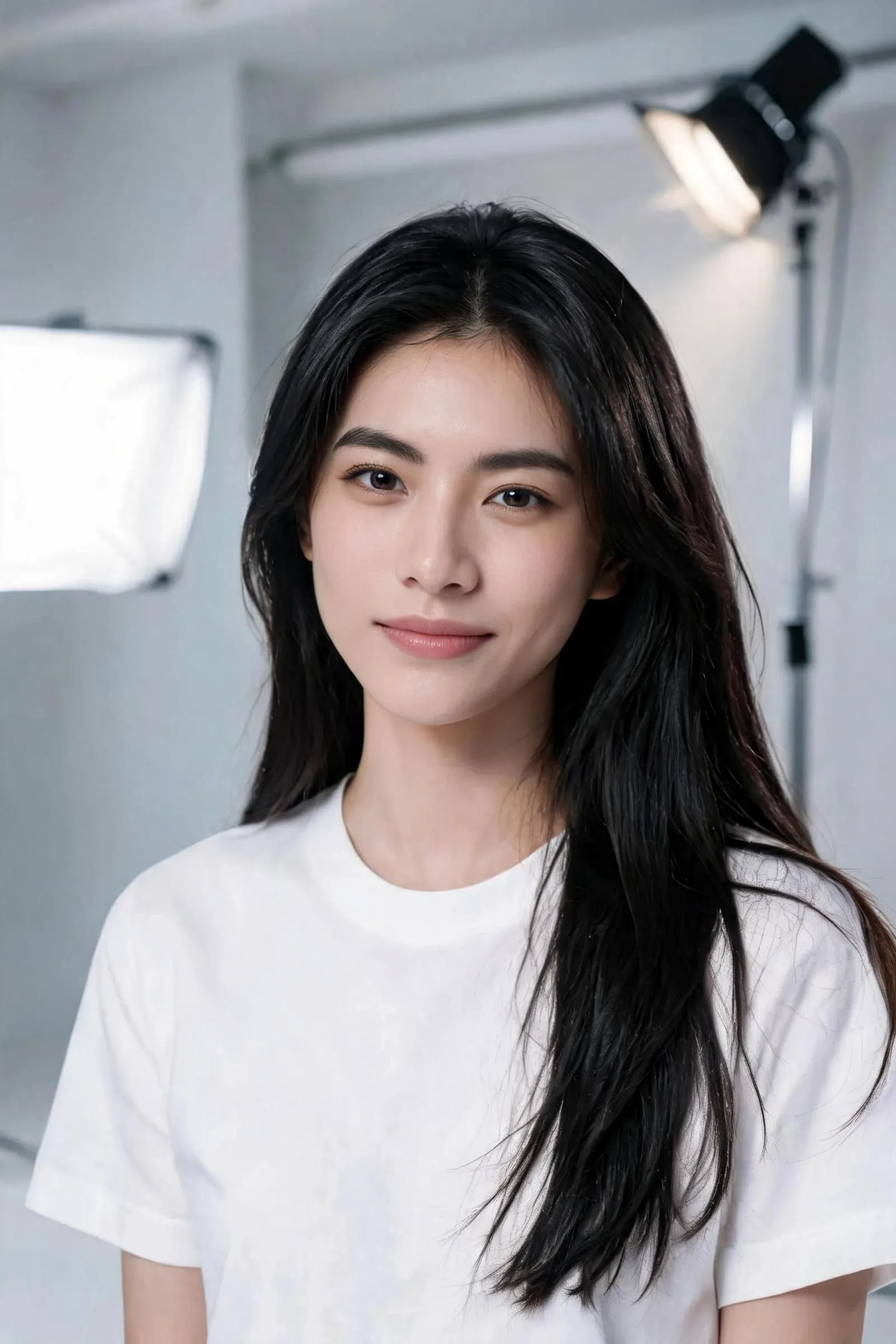
Real case study — the same person, from a blocked starting image to a detailed Seedream reconstruction that passes

Why Direct Reference Images Often Fail
To mitigate deepfake risks and comply with legal regulations, Seedance 2.0 runs a strict content filter aimed at real human faces and intellectual property. When a reference image contains features that resemble a celebrity or a specific public figure, it triggers copyright detection — resulting in a failed generation or a severely distorted output.
The important part: this happens even with AI-generated images. If a generated face accidentally resembles a restricted identity in the database too closely, it still gets blocked. The most reliable fix is to first create a custom, richly detailed reference image with Seedream 5.0, and then use that image in Seedance 2.0.
It Has to Be Seedream on SocialArt — With the Safety Checker On
This workflow only works with a reference image generated on SocialArt with Seedream 5.0 — Lite or Pro, both work equally well. Don't upload a real photo and don't use a different image generator — those carry no trusted signal and get flagged.
One hard requirement: keep the Safety Checker enabled when you generate the Seedream image. Seedance 2.0 recognises Seedream images generated this way as a trusted source — both models are built by ByteDance, so the image is treated as original and safe and reliably clears the real-person and IP detection that blocks ordinary photos. With the Safety Checker turned off, the image carries no trusted signal and Seedance 2.0 will block it.
- ✓Seedream 5.0 Lite or Pro on SocialArt, with the Safety Checker on — trusted and reliably accepted.
- ✗Seedream with the Safety Checker off — no trusted signal, gets blocked.
- ✗Real photos of people — frequently blocked.
- ✗Other image generators or images from outside SocialArt — no trusted-source signal.
The Core Strategy: Descriptive, Not Referential
To make your generated images both photorealistic and safe from Seedance 2.0's filters, describe a unique fictional person instead of referencing an existing one. Build the character from specific visual traits — bone structure, facial detail, skin texture, and lighting — rather than relying on a celebrity template. These four techniques do the heavy lifting.
1 Avoid Celebrity Names and Strongly Associated Terms
The most direct trigger is a celebrity name or a strongly associated character name (e.g. "Iron Man", "Batman") in the prompt. Drop these terms completely. If you want a certain aura or style, deconstruct it into concrete visual traits instead.
2 Detail the Facial Features
By combining distinct facial features you can create an endless variety of unique faces. Describe the face across three dimensions:
- Bone structure & face shape: high cheekbones, sharp jawline, heart-shaped face, deep-set eyes.
- Facial details: almond-shaped eyes, heterochromia, aquiline nose, full lips, thick bushy eyebrows.
- Skin texture & traits: freckled skin, subtle rosacea, sun-kissed bronze skin, fine laugh lines around the eyes.
3 Introduce Diverse Ethnic and Regional Traits
Mixing features from different ethnicities or regions is an effective way to avoid a generic face — or an accidental resemblance to a celebrity. For example, combine "Nordic blonde hair and blue eyes" with "soft Asian facial contours", or describe a "woman with mixed Mediterranean and South American features".
4 Use Photography and Lighting Terminology
Seedream is highly responsive to photography and lighting cues. Specifying them boosts realism and shifts the model's focus toward the overall atmosphere rather than a specific facial template.
Lighting
Rembrandt lighting, rim lighting, soft diffused light, golden hour lighting
Camera & lens
85mm lens, shallow depth of field, macro close-up, cinematic composition
Case Study: From Triggering the Filter to a Clean Pass
Starting image — triggered the filter
This generic description produced a face that resembled a restricted identity too closely. When fed into Seedance 2.0, it tripped the celebrity detection filter and the video failed. Instead of starting over, we reused this exact image as a reference.
Reconstructed in Seedream — passed successfully
We fed that same image back into Seedream 5.0 as a reference and reconstructed her facial identity with extremely specific, non-generic detail — narrow deep-set eyes, a high prominent nose bridge, a sharp defined jawline, high angular cheekbones. Her hair, pose and overall look stay the same, but the face becomes unmistakably its own person. The resemblance to any single restricted identity dropped away, and the new image passed Seedance 2.0's detection and generated the video smoothly.
More Examples: What to Avoid vs. What Works
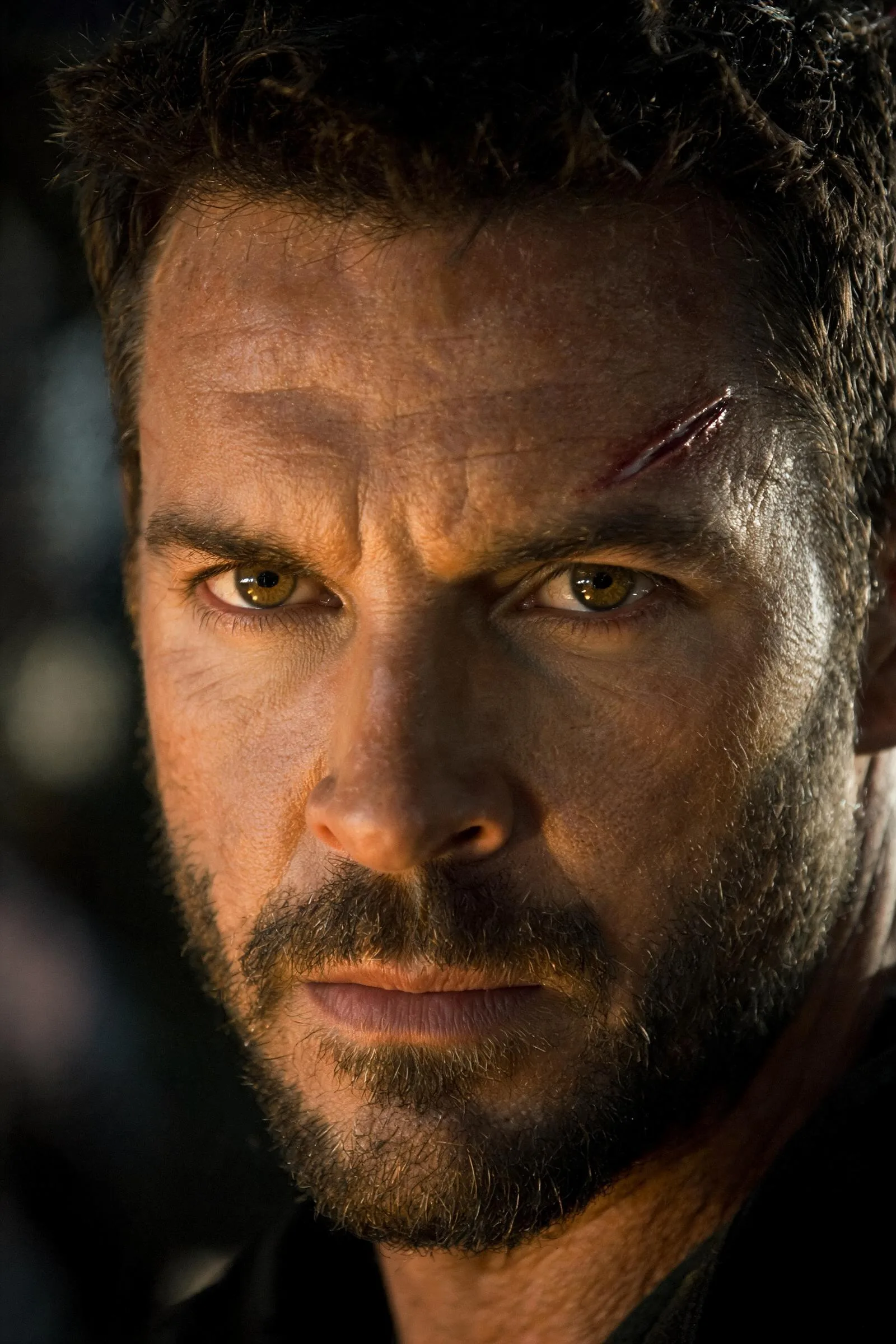
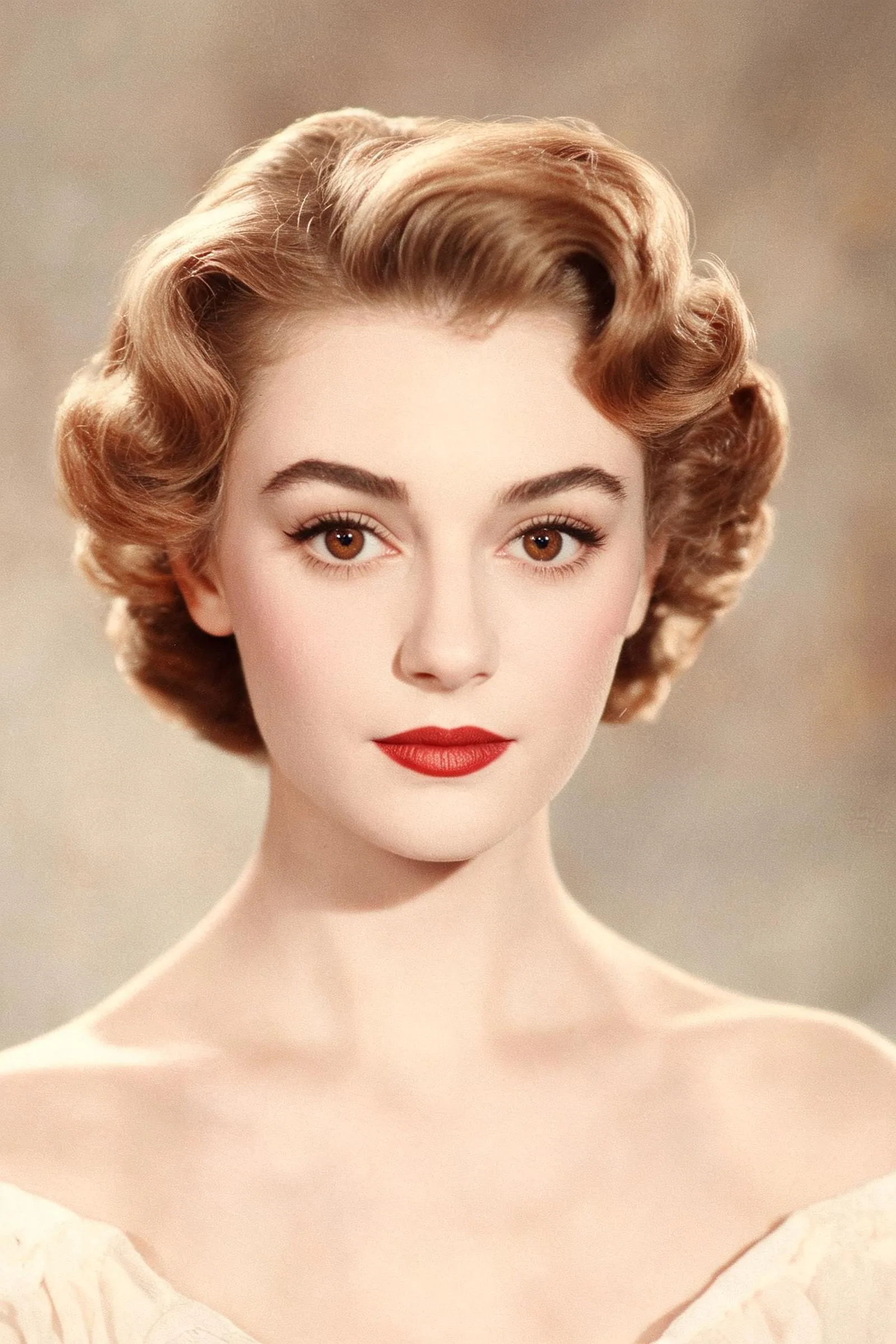
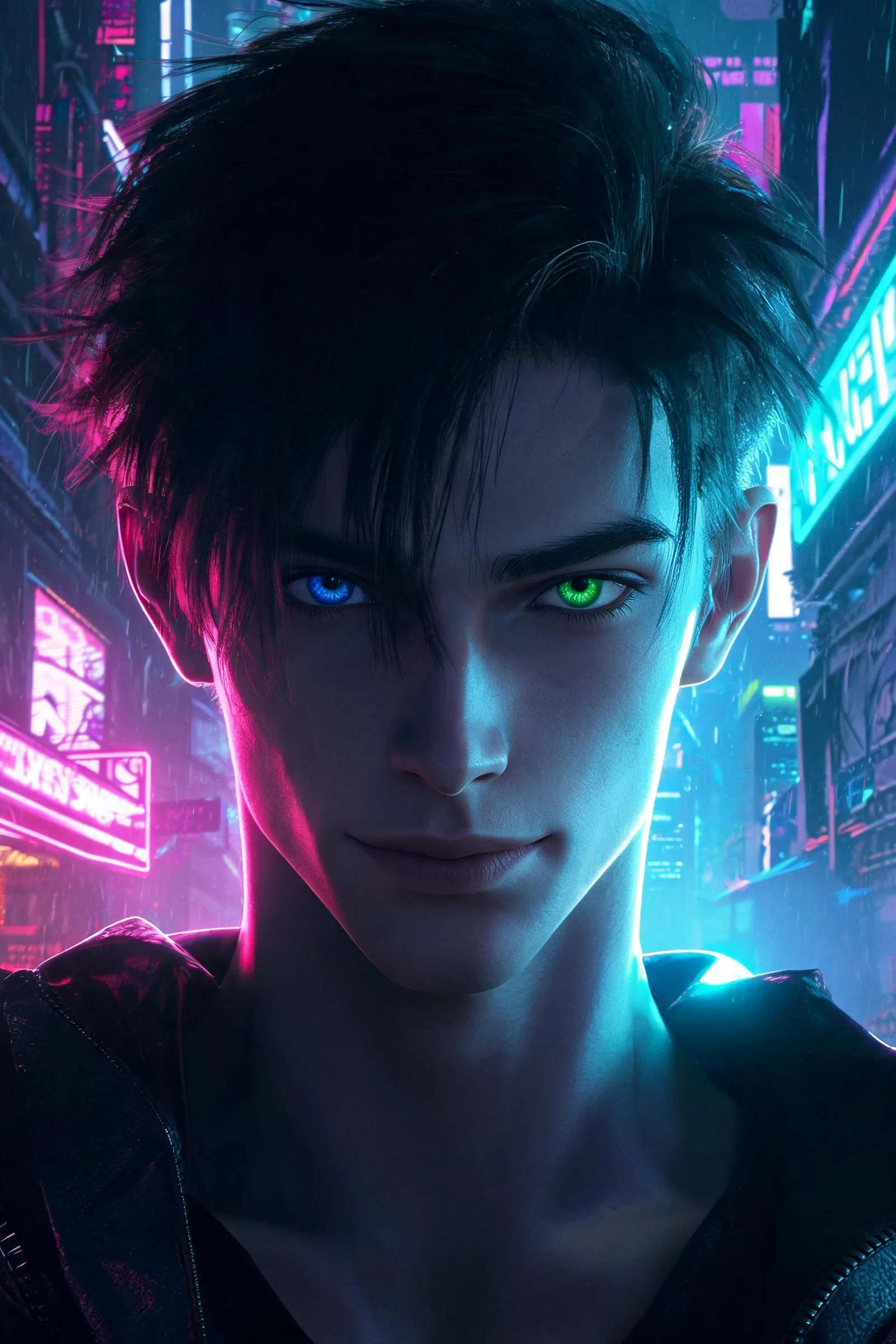
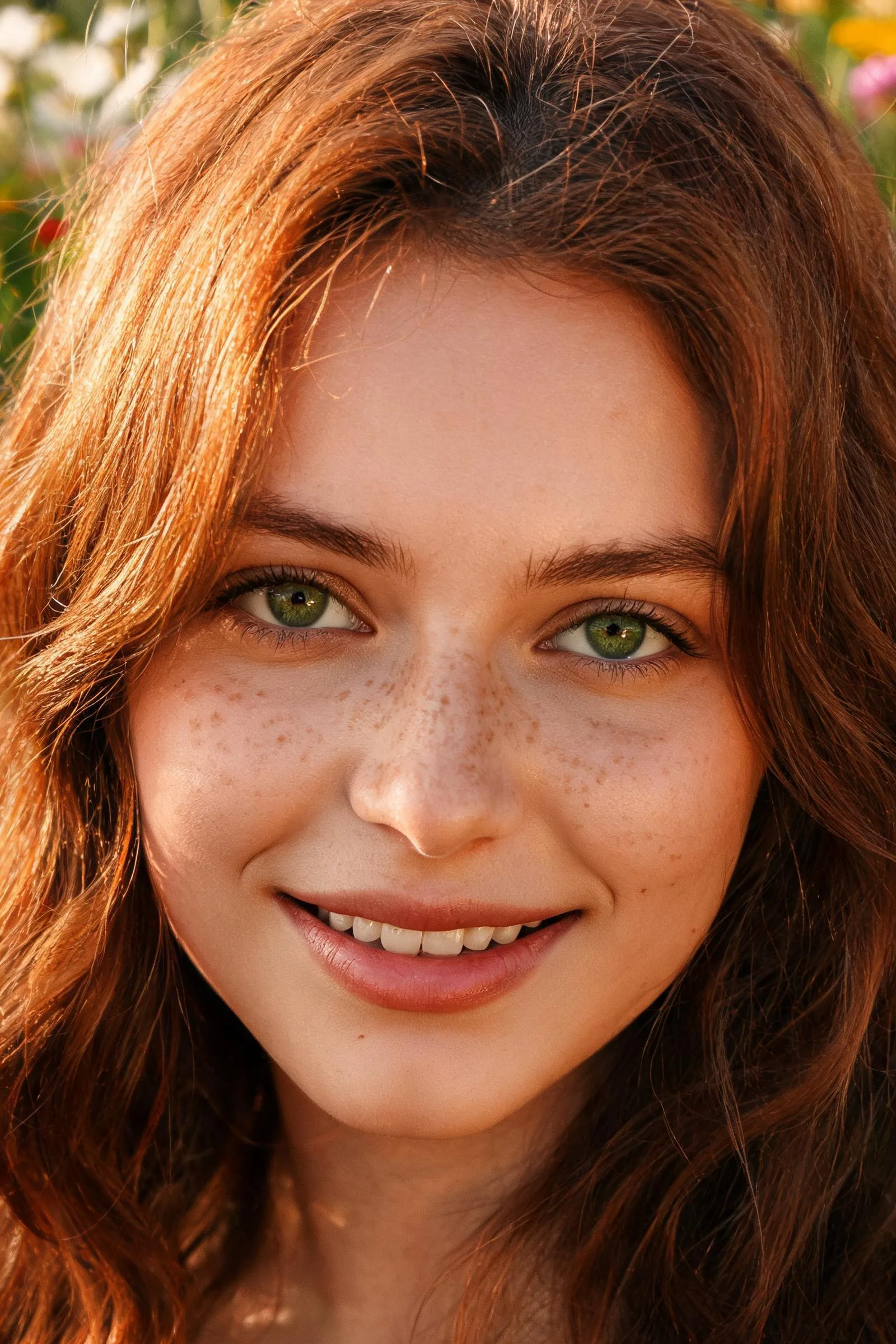
Each of these targets a recognizable style. The red prompt leans on a celebrity and is likely to be blocked; the green prompt rebuilds the same vibe as a detailed fictional character — and the image beside it was generated in Seedream 5.0 from that exact prompt.
Hollywood Tough Guy
Prone to trigger detection
A portrait of Tom Cruise in an action movie, explosions in the background, highly detailed.
Bypasses detection
A cinematic close-up portrait of a rugged fictional male action hero in his 40s. He has a strong square jawline, a slight stubble, deep-set hazel eyes, and a small scar above his left eyebrow. Dramatic side lighting, 85mm lens, shallow depth of field, photorealistic, gritty action movie aesthetic.
Elegant Vintage Actress
Prone to trigger detection
Audrey Hepburn style woman wearing a black dress and pearls, vintage photography.
Bypasses detection
A vintage-style portrait of an elegant fictional woman. She has a slender neck, prominent collarbones, large doe-like brown eyes, and high arched eyebrows. Her skin is flawless with a pale complexion. Soft diffused studio lighting, classic 1950s aesthetic, shot on medium format film, highly detailed.
Cyberpunk Sci-Fi
Prone to trigger detection
Keanu Reeves as a cyberpunk hacker, neon lights, futuristic city.
Bypasses detection
A futuristic portrait of a fictional male hacker in a cyberpunk setting. He has sharp, angular facial features, pale skin, and striking heterochromia (one blue eye, one green eye). He has a messy, asymmetrical haircut. Illuminated by harsh neon pink and cyan rim lighting, cinematic composition, ultra-detailed, 4K resolution.
Fresh and Natural
Prone to trigger detection
A beautiful girl looking like Emma Watson, smiling in a field of flowers.
Bypasses detection
A photorealistic portrait of a young fictional woman with a mix of Mediterranean and Scandinavian features. She has sun-kissed skin with natural freckles across her nose, wavy auburn hair, and bright green eyes. Soft golden hour lighting, natural smile showing slight imperfections in teeth, macro photography, blurred floral background.
The Recommended Two-Step Workflow
Create a reference image in Seedream
- Generate your reference image on SocialArt with Seedream 5.0 — Lite or Pro, both work.
- Keep the Safety Checker enabled — images generated with it off won't pass Seedance 2.0.
- Write a highly detailed prompt focused on the character's facial features.
- The more specific the face, the more reliably Seedance 2.0 accepts it.
Use the image in Seedance 2.0
- Pick the Seedream image from your history (or upload it).
- Add it as a Reference Image in Seedance 2.0.
- Write your video prompt around that character, then generate.
Already Have a Character?
Keep your existing character and rebuild it in Seedream 5.0 with the help of our Prompt Agent — you don't have to write the detailed prompt yourself:
- Open the Prompt Agent on Seedream 5.0 (Lite or Pro, both work) and keep the Safety Checker enabled.
- Attach your character as a reference image.
- Paste the prompt below into the Prompt Agent.
- It writes the final Seedream prompt for you — preserving your character's look, pose and style while adding the unique facial detail Seedance 2.0 needs.
- Generate the image in Seedream 5.0, then use it as your reference in Seedance 2.0.
Paste this into the Prompt Agent (with your reference image attached):
Important Notes
- •Always use an image generated on SocialArt with Seedream 5.0 (Lite or Pro) as your reference, with the Safety Checker enabled — that trusted signal is what clears the filter. Avoid uploading regular photos of real people directly into Seedance 2.0.
- •The more detailed the facial description in Seedream, the higher the success rate in Seedance 2.0.
- •Start with simpler movements when testing. Very complex or fast choreography has a lower success rate.
- •Iterate. Adjust facial features and lighting parameters until the reference looks unmistakably its own person.
Ready to Build Your Reference Character?
Generate a detailed fictional face in Seedream 5.0, then bring it to life with Seedance 2.0 — all inside SocialArt AI.
Share this article
Related Articles
Seedream 5.0 Lite: Deep Reasoning & Next-Level Prompting
The image model behind this workflow — HEX color precision, structured prompting, and detailed control.
Prompt Agent: Your AI Assistant for Perfect Prompts
Let the Prompt Agent turn a rough idea and a reference image into a detailed, model-ready prompt.