
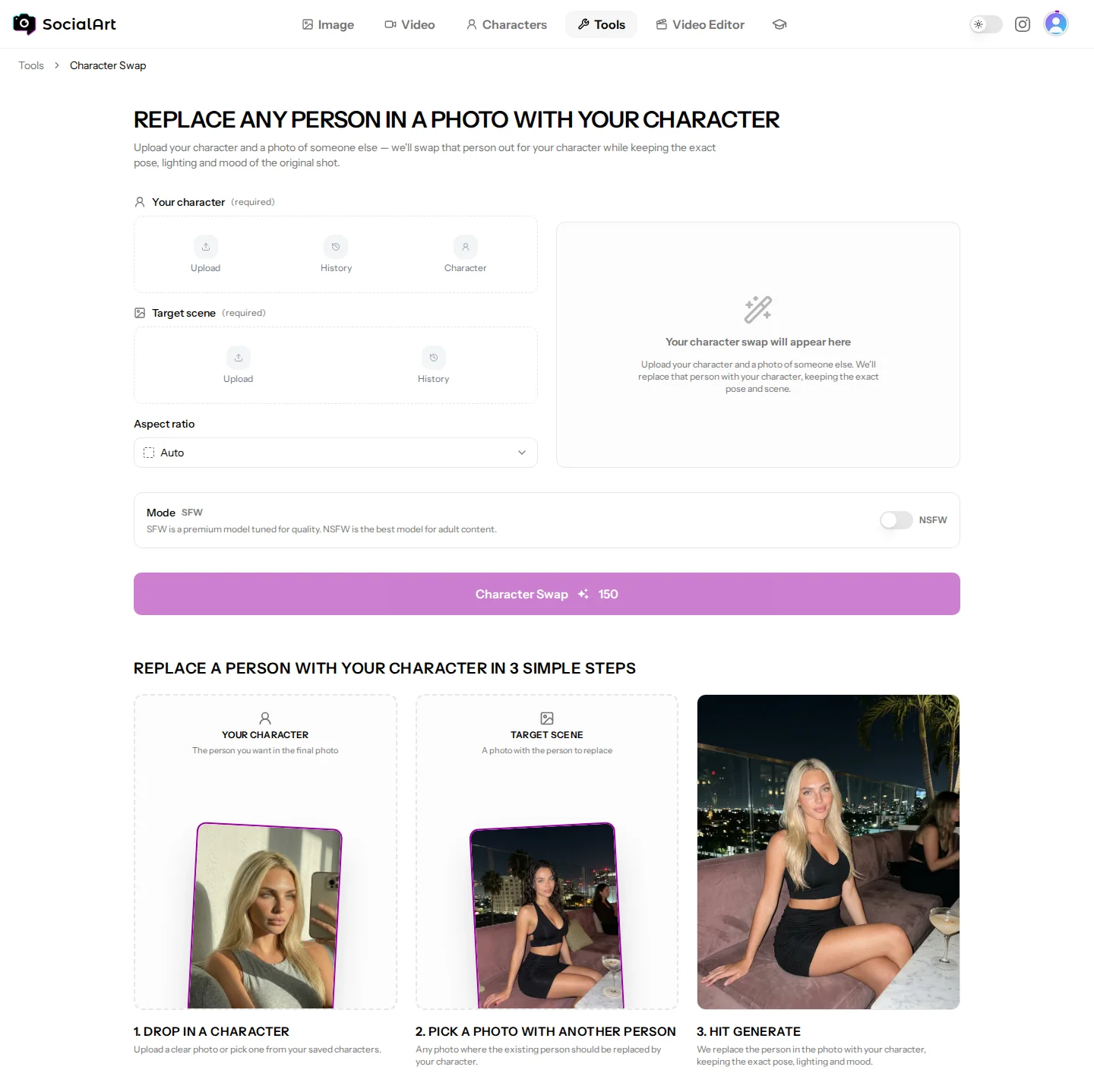
Character Swap replaces any person in a photo with your character while keeping the exact pose, lighting and mood of the original. No prompt needed. Open it from Characters in the main menu or from the Tools page.
In three steps
- Your character. Upload a clear photo of the person you want in the final image, or pick one from your saved characters. Up to 4 character reference photos.
- Target scene. Upload or pick any photo with the person that should be replaced.
- Generate. Choose an aspect ratio (auto, 21:9, 16:9, 9:16, 1:1, 4:3 or 3:4) and hit Character Swap. Until then the preview shows an example; your result appears there after roughly 30–60 seconds and is saved to your image history.
Good to know
- Cost: shown on the generate button before you start. Failed generations are refunded automatically.
- Generated prompt. Copy the prompt that produced the result with Copy prompt, for example to recreate or vary the scene in the Image Studio.
- Best results come from a sharp, evenly lit character photo that shows the face clearly, and a target photo where the person is fully visible.
- Results land in your image history, where you can download them, add them to albums or reuse them as references.
Related
- Saving characters: Characters
- Influencer-style scenes without a target photo: Influencer Remix (Characters)
- All tools: Tools