
Kling O1: Image-to-Image Editing for Clothes, Backgrounds & Style Changes
Meet Kling O1, an image-to-image model for guided visual edits. Use prompts and source images to explore outfit changes, background adjustments, style variations, and creative edits.
See the Power of Kling O1 Image-to-Image Transformation
Original Input
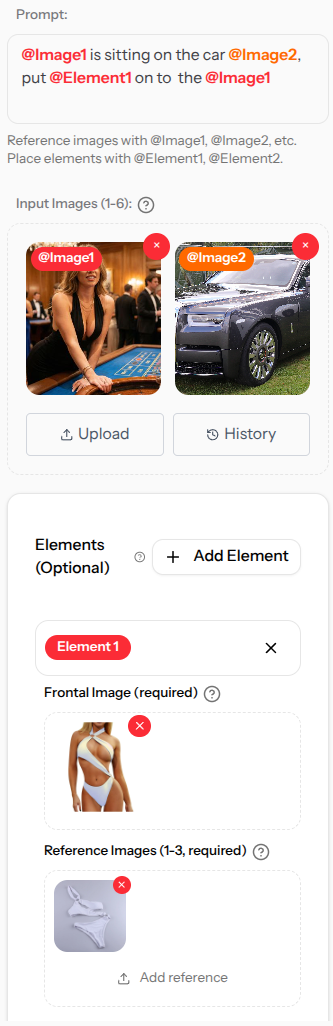
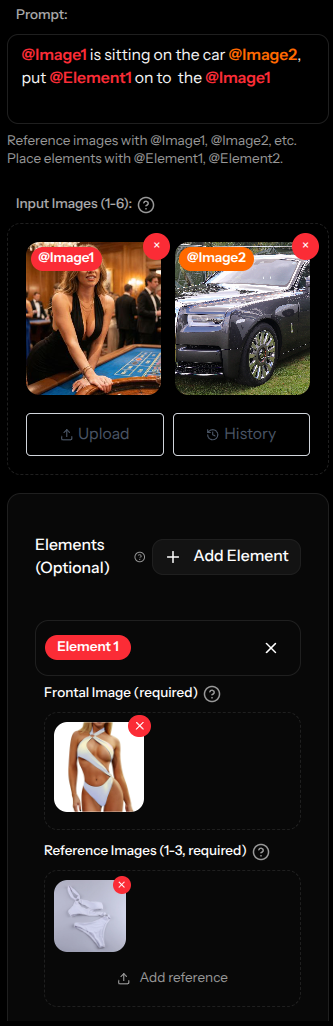
AI Transformed Result
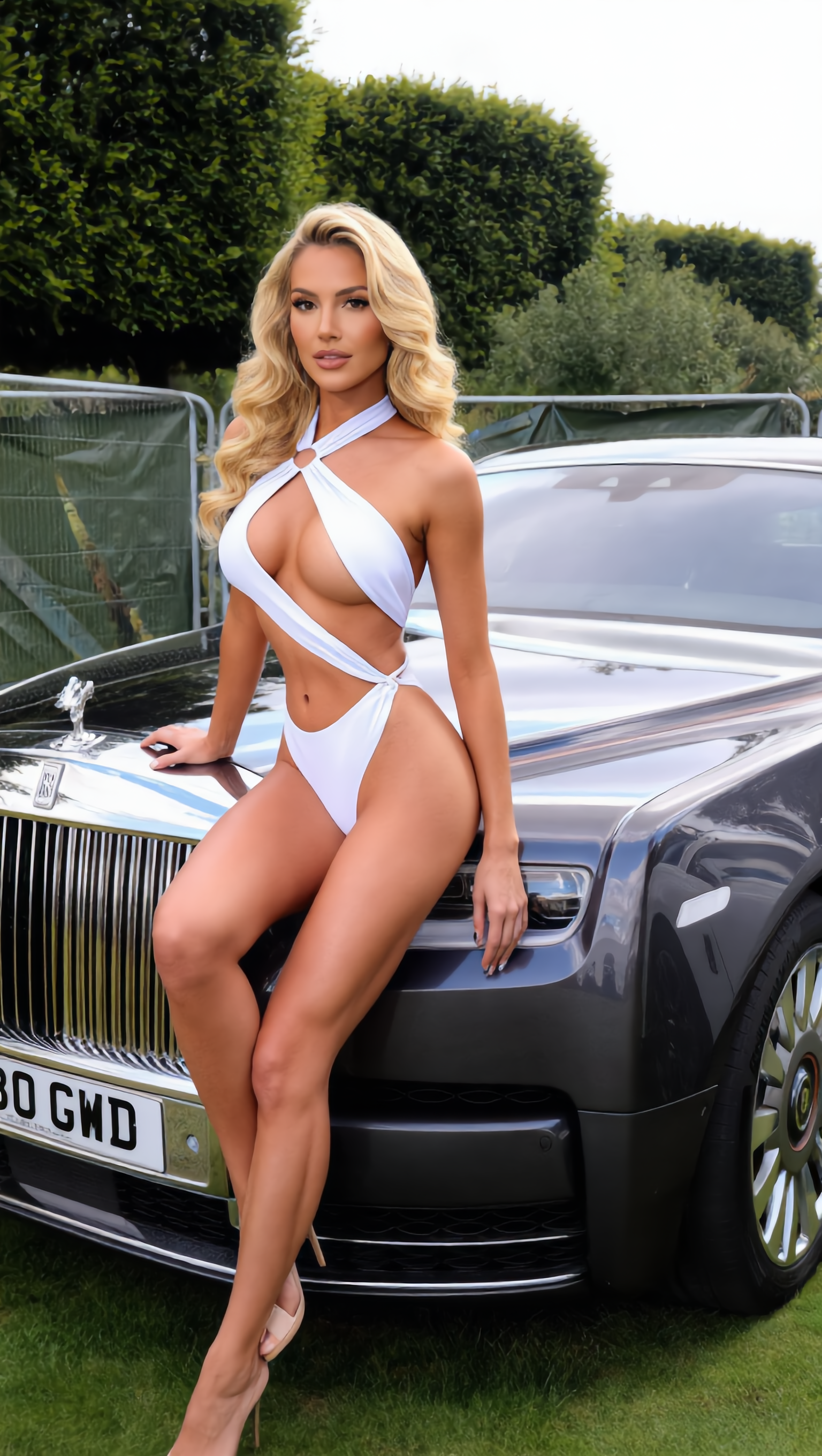
From source image to guided variation, powered by Kling O1's image-to-image workflow
The world of AI-powered image generation has reached a new milestone with Kling O1's image-to-image capabilities. This isn't just another photo filter or simple transformation tool – it's a sophisticated AI system that understands your input image and intelligently transforms it while preserving essential details and adding creative enhancements.
Whether you're looking to change artistic styles, enhance visual aesthetics, or completely reimagine your photos, Kling O1's image-to-image AI can create polished variations that may otherwise require manual editing time.
What Makes Kling O1's Image-to-Image AI Special?
Image-to-image AI transformation goes beyond simple filters or effects. Kling O1 analyzes your input image at a deep level, understanding composition, lighting, subjects, and context before applying intelligent transformations that maintain the essence of your original while creating something entirely new.
Key Image-to-Image Capabilities:
- Intelligent Style Transfer: Transform photos into different artistic styles while preserving important details
- Context-Aware Enhancement: Understands subjects and backgrounds to apply appropriate improvements
- Precise Control: Fine-tune transformation intensity and specific aspects of the change
- Detail Preservation: Maintains important facial features, expressions, and key elements
- Multiple Output Options: Generate several variations and choose the strongest direction
How Kling O1 Image-to-Image Transformation Works
The process is straightforward on the surface, with several choices that influence the final output:
Upload Your Source Image
Start with a clear photo, such as a portrait, landscape, object, or scene. Well-lit images with defined subjects usually give the model stronger input.
Describe Your Desired Transformation
Use natural language to describe how you want the image transformed. For example: "Transform this into a watercolor painting" or "Make this look like a vintage film photograph."
AI Analysis and Intelligence
Kling O1 analyzes your image structure, identifies key elements, understands the composition, and plans the transformation while preserving important details and maintaining visual coherence.
Intelligent Transformation
The AI applies your requested changes while maintaining the essence of the original. Faces remain recognizable, important objects are preserved, and the overall composition stays coherent.
Creative Possibilities with Kling O1 Image-to-Image
Image-to-image transformation is useful for several creative and production workflows:
Artistic Style Transfer
Transform photos into paintings, sketches, or specific artistic styles. Turn a portrait into an oil painting or a landscape into a watercolor masterpiece while preserving the original's character.
Photo Enhancement & Restoration
Enhance old photos, improve lighting conditions, change time of day, or restore vintage images. Transform a daylight photo into a dramatic sunset or enhance a low-quality image.
Fashion & Product Visualization
Change clothing styles, visualize products in different settings, or create multiple variations of product shots for e-commerce and fashion concept work.
Social Media Content
Create multiple versions of your photos for different platforms, apply trending aesthetic styles, or transform personal photos into engaging content that stands out on social media.
Creative Experimentation
Explore different moods, atmospheres, and creative directions. Transform realistic photos into fantasy scenes, experiment with different color palettes, or create surreal artistic interpretations.
Professional Design Work
Speed up design workflows by transforming stock photos to match brand aesthetics, creating multiple concept variations, or generating unique visual assets for client projects.
Pro Tips for Maximum Impact with Image-to-Image AI
📸 Start with High-Quality Source Images
The better your input image, the more impressive your results. Use well-lit, clear photos with good composition as your starting point for the best transformations.
🎯 Be Specific with Your Transformation Description
Instead of "make it artistic," try "transform into a Renaissance oil painting with warm golden lighting and classical composition." Specific descriptions yield more targeted and satisfying results.
🔄 Experiment with Different Transformation Strengths
Use the intensity controls to fine-tune how dramatically the AI transforms your image. Lower settings preserve more original details, while higher settings create more dramatic changes.
🎨 Consider the Original Image's Composition
Images with clear subjects and good contrast tend to transform better. If your original has strong composition elements, the AI can enhance and build upon them effectively.
⚡ Generate Multiple Variations
Don't settle for the first result. Generate several variations with the same prompt to see different interpretations, then choose the one that best matches your vision.
How Kling O1 Compares with Traditional Photo Editing
| Method | Time Required | Skill Level | Creative Freedom | Results Quality |
|---|---|---|---|---|
| Kling O1 Image-to-Image | 1-2 minutes | Beginner friendly | Broad prompt-driven variations | Depends on source image and prompt |
| Traditional Photoshop Editing | 2-6 hours | Advanced expertise required | Limited by skill | Variable, skill dependent |
| Mobile Filter Apps | 30 seconds | No skill needed | Limited preset options | Basic quality |
| Professional Photo Retouching | 4-8 hours | Professional level | High, but time intensive | Excellent but expensive |
Transform Your Photos with Kling O1 Today
Try guided image-to-image transformation. Upload a clear source photo, describe the edit, and review variations before choosing what to keep.
Frequently Asked Questions
What types of images work best with Kling O1's image-to-image feature?
Kling O1 works with many image types, including portraits, landscapes, objects, and scenes. For best results, use clear, well-lit photos with good contrast and defined subjects. Higher resolution inputs generally produce better outputs.
How much control do I have over the transformation?
You have extensive control through detailed prompts and intensity settings. Describe exactly what you want changed, specify styles, moods, and effects, and adjust how dramatically the AI transforms your image while preserving important elements.
Will my transformed images look obviously AI-generated?
Results vary by source image, prompt, and settings. Clear inputs and specific edit directions usually produce more natural-looking outputs, but every result should still be reviewed before use.
Can I use Kling O1 for professional projects?
Kling O1 can support professional design and marketing workflows. Usage rights and suitability depend on your input materials, generated result, plan terms, and publishing context.
How long does it take to transform an image?
Most image-to-image transformations complete within 1-2 minutes, depending on the complexity of your requested changes and current system load. This can support quick iteration and real-time creative exploration.
What if I don't like the result? Can I try again?
Yes. You can generate multiple variations using the same or modified prompts. Adjust your description, change the transformation intensity, or try different approaches until the output better matches your direction.
Creative Image Transformation with Kling O1
Kling O1's image-to-image AI gives creators another way to explore photo editing and creative transformation. It combines source-image analysis with prompt-based generation controls.
Whether you're a professional designer looking to speed up visual exploration, a content creator seeking unique visual assets, or someone who simply wants to explore creative possibilities with their photos, Kling O1's image-to-image feature can help generate visual directions to review, refine, and adapt.
Upload a source image to Kling O1, describe the change you want, and use the generated variations as starting points for your next visual direction.
Share this article